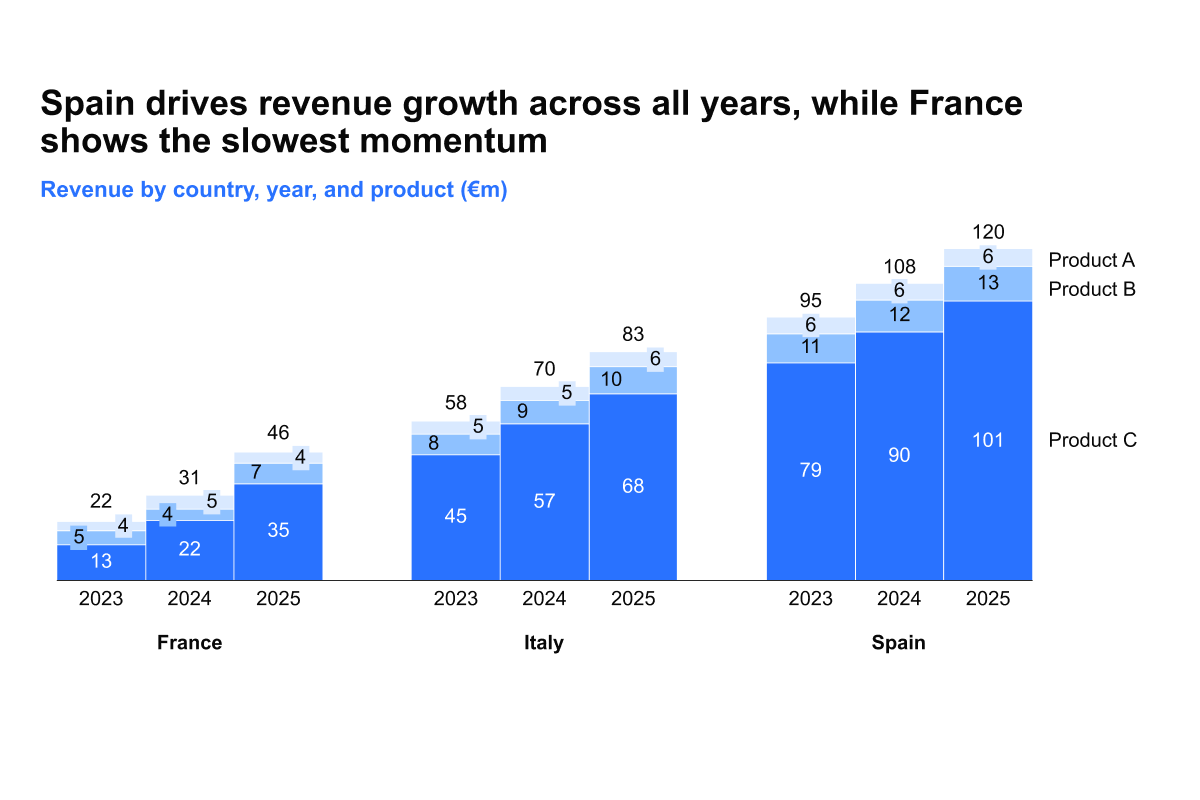
Show revenue by multiple variables

Course 6 of 7 in Financial Planning

Learn how to show revenue by multiple variables

rate limit

Code not recognized.

About this course

By the end of this course, you will be able to show revenue across multiple variables using a stacked clustered chart.

  • Structuring the visualization: Learn how to build a stacked clustered chart, add category gaps, and reduce column width to create a clear clustered effect.
  • Improving readability: Apply the right theme, adjust and move series labels, and position the chart so it communicates insights effectively.
  • Adding context and detail: Incorporate second-level headers to highlight dimensions of the data and guide interpretation.

These techniques will help you present revenue data in a way that is both detailed and easy to interpret, making complex comparisons accessible to any audience.


Curriculum9 min

  • Introduction & key concepts
  • Download: PowerPoint file
  • Introduction 1 min
  • Building the stacked clustered chart
  • Add category gaps and reduce column width 2 min
  • Change theme and move series labels 2 min
  • Position chart and add 2nd level headers 3 min
  • Completion
  • Complete course 1 min

About this course

By the end of this course, you will be able to show revenue across multiple variables using a stacked clustered chart.

  • Structuring the visualization: Learn how to build a stacked clustered chart, add category gaps, and reduce column width to create a clear clustered effect.
  • Improving readability: Apply the right theme, adjust and move series labels, and position the chart so it communicates insights effectively.
  • Adding context and detail: Incorporate second-level headers to highlight dimensions of the data and guide interpretation.

These techniques will help you present revenue data in a way that is both detailed and easy to interpret, making complex comparisons accessible to any audience.


Curriculum9 min

  • Introduction & key concepts
  • Download: PowerPoint file
  • Introduction 1 min
  • Building the stacked clustered chart
  • Add category gaps and reduce column width 2 min
  • Change theme and move series labels 2 min
  • Position chart and add 2nd level headers 3 min
  • Completion
  • Complete course 1 min