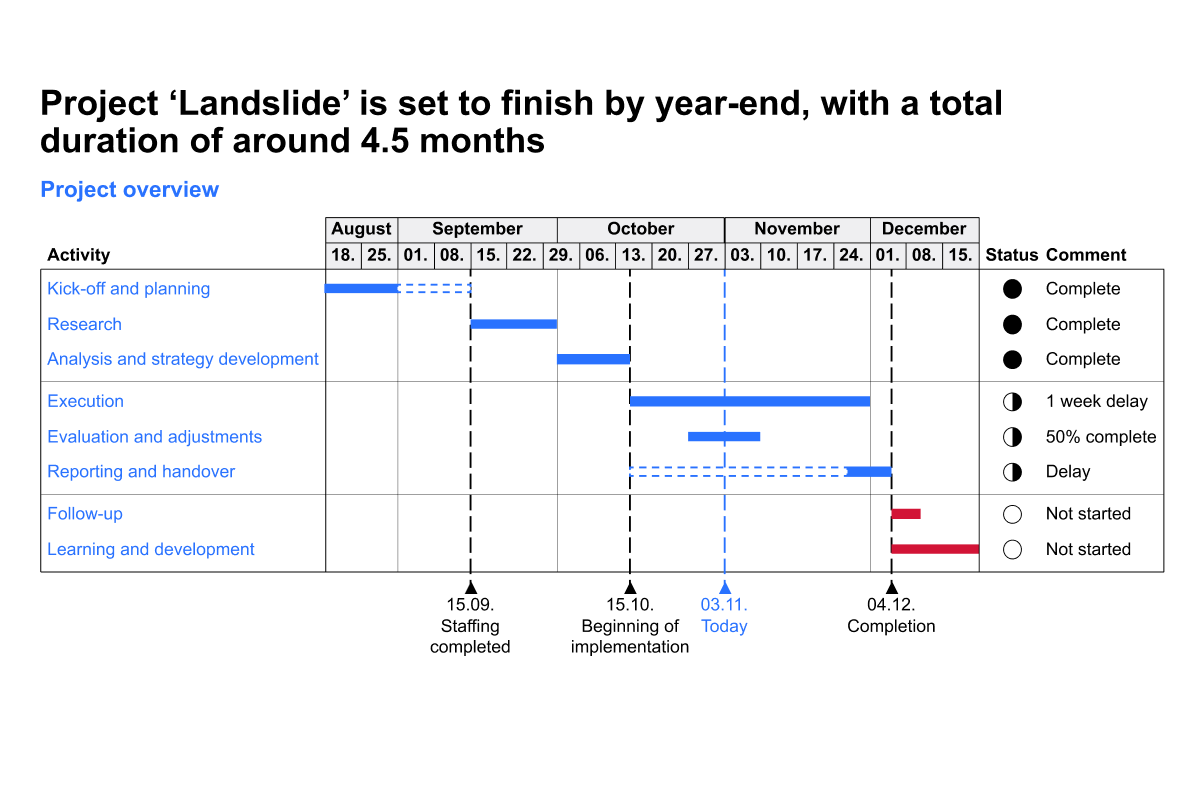
Gantt chart project planning

Course 5 of 6 in Project Management

Learn how to effectively use Gantt charts for project planning

rate limit

Code not recognized.

About this course

By the end of this course, you'll be equipped to create clear, effective Gantt charts that support seamless project planning and communication, helping you keep timelines, tasks, and workstreams aligned from start to finish.

  • Project clarity through visual timelines: Learn how to map out project phases, deadlines, and dependencies in a single, easy to read chart that keeps everyone on the same page.
  • Workstream coordination: Build Gantt charts that clearly show parallel workstreams, task owners, and overlapping responsibilities, ensuring nothing slips through the cracks.
  • Progress and planning visibility: Discover how to track status, highlight milestones, and update your charts as your project evolves.

These techniques will help you manage complex projects with confidence, communicate progress visually, and deliver work that stays on time and on track.


Curriculum29 min

  • Introduction & key concepts
  • Download: PowerPoint file
  • Introduction 5 min
  • Building the chart
  • Adjusting the calendar 5 min
  • Adding responsibility and remark column 4 min
  • Adding milestones 5 min
  • Adding chart elements 5 min
  • Final touches 4 min
  • Completion
  • Complete course 1 min

About this course

By the end of this course, you'll be equipped to create clear, effective Gantt charts that support seamless project planning and communication, helping you keep timelines, tasks, and workstreams aligned from start to finish.

  • Project clarity through visual timelines: Learn how to map out project phases, deadlines, and dependencies in a single, easy to read chart that keeps everyone on the same page.
  • Workstream coordination: Build Gantt charts that clearly show parallel workstreams, task owners, and overlapping responsibilities, ensuring nothing slips through the cracks.
  • Progress and planning visibility: Discover how to track status, highlight milestones, and update your charts as your project evolves.

These techniques will help you manage complex projects with confidence, communicate progress visually, and deliver work that stays on time and on track.


Curriculum29 min

  • Introduction & key concepts
  • Download: PowerPoint file
  • Introduction 5 min
  • Building the chart
  • Adjusting the calendar 5 min
  • Adding responsibility and remark column 4 min
  • Adding milestones 5 min
  • Adding chart elements 5 min
  • Final touches 4 min
  • Completion
  • Complete course 1 min