- Introduction & key concepts
-
Introduction & key concepts 3 min
- Creating the slide visuals
-
Slide visual breakdown 2 min
- Building the chart
-
Building the waterfall chart pt.1 4 min
-
Building the waterfall chart pt. 2 4 min
-
Adding labels for clarity 3 min
- Final overview
-
Creating callouts and final overview 2 min
- Completion
-
scenarios comparison by component quiz 2 min
-
Share your feedback
-
Complete course 1 min

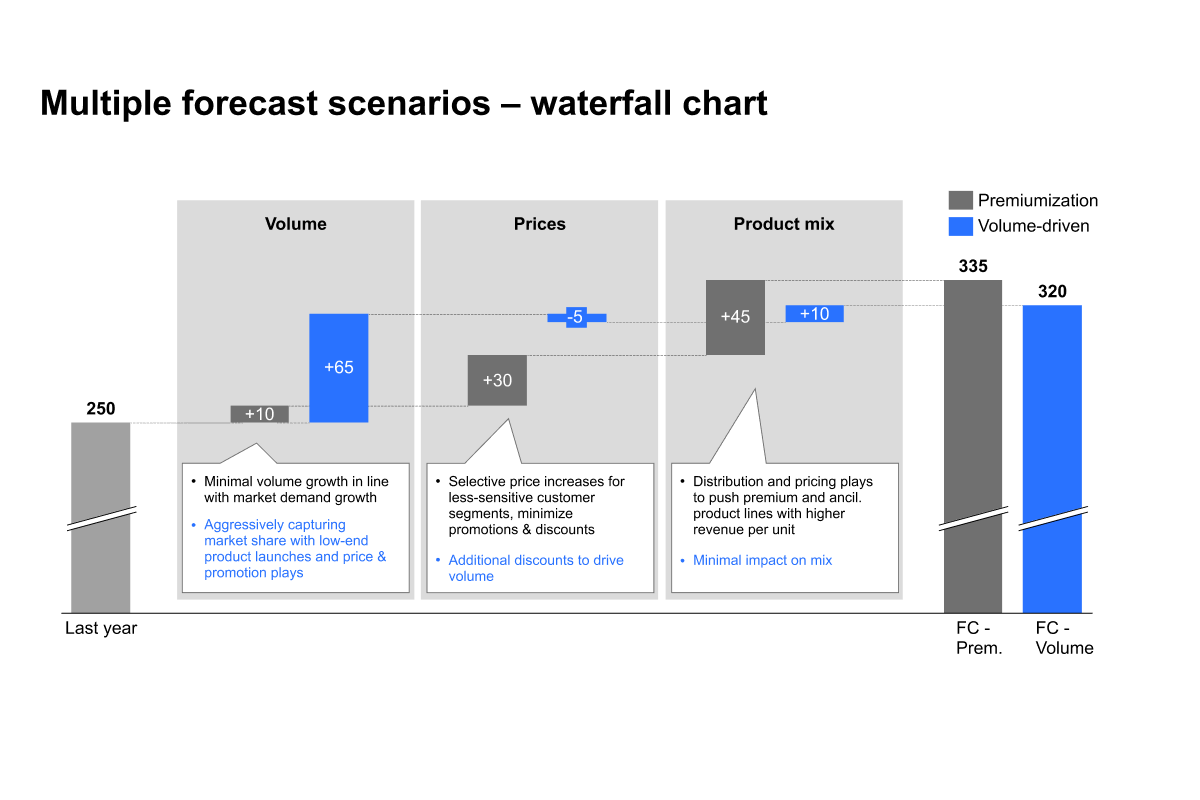
Scenarios comparison by component
Learn how to effectively build scenario comparisons using thinkcell waterfall charts
Create scenario comparison waterfall charts that clearly visualize differences between forecast outcomes and the factors driving each scenario. Learn how to structure, format, and enhance your charts to communicate complex forecasts effectively.
- Scenario comparisons: Build waterfall charts that compare multiple forecast scenarios side by side using a shared baseline and clearly defined outcomes.
- Performance drivers: Break down scenarios by key components, such as price, volume, or region, to show what drives changes between forecast outcomes.
- Excel data setup: Structure Excel data using values, formulas, and dedicated series for each scenario to simplify chart creation and updates.
- Chart formatting and storytelling: Use category gaps, connectors, annotations, and callouts to highlight assumptions, risks, and key differences between scenarios.