- Advanced thinkcell tips
-
Add averages and value lines 2 min
-
Set chart axes to same scale 4 min
-
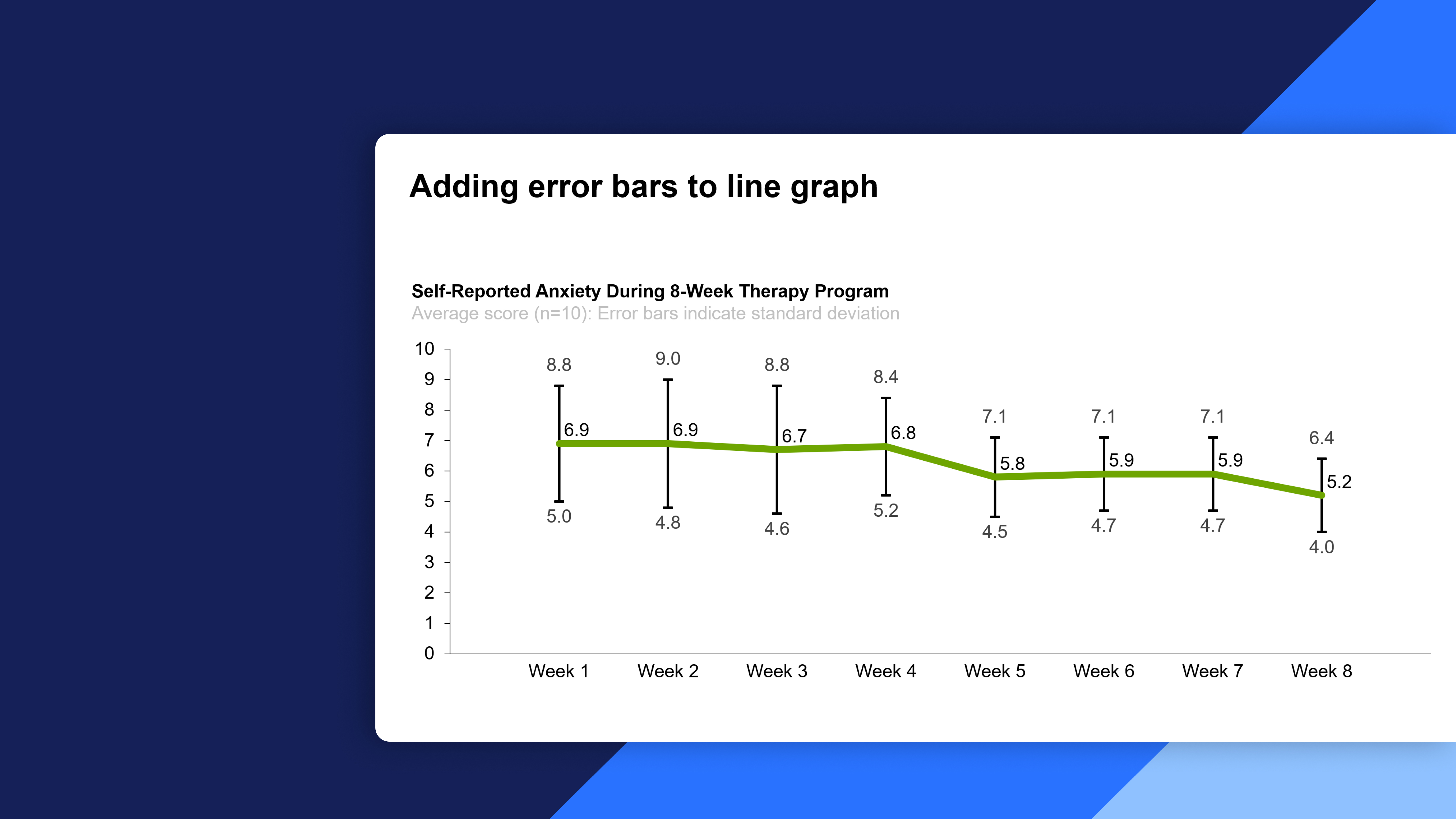
Add error bars to line charts
-
Use log scales in charts 8 min
-
Change fill colors dynamically 5 min
-
Add comparison column to waterfall charts 2 min
-
Add new data to Excel-linked charts automatically 2 min
- Completion
-
Share your feedback 1 min
-
Complete course 1 min

thinkcell tips & tricks (Advanced)
Learn about advanced tips and tricks that will make your work with thinkcell even more effective
By the end of this course, you will be able to enhance your expertise in using thinkcell through advanced tips and tricks:
- Mastering advanced thinkcell tips: Learn advanced features and techniques to optimize your use of thinkcell for creating compelling and impactful presentations
- Advanced chart customization: Explore how to add averages, value lines, error bars, use log scales, and dynamically change fill colors to enhance the visual impact of your charts in thinkcell
- Optimizing chart functionality: Understand how to set chart axes to the same scale, add comparison columns to waterfall charts, and add new data to Excel-linked charts automatically for enhanced analytical capabilities